1 / 4
- PlayStation
- DLC
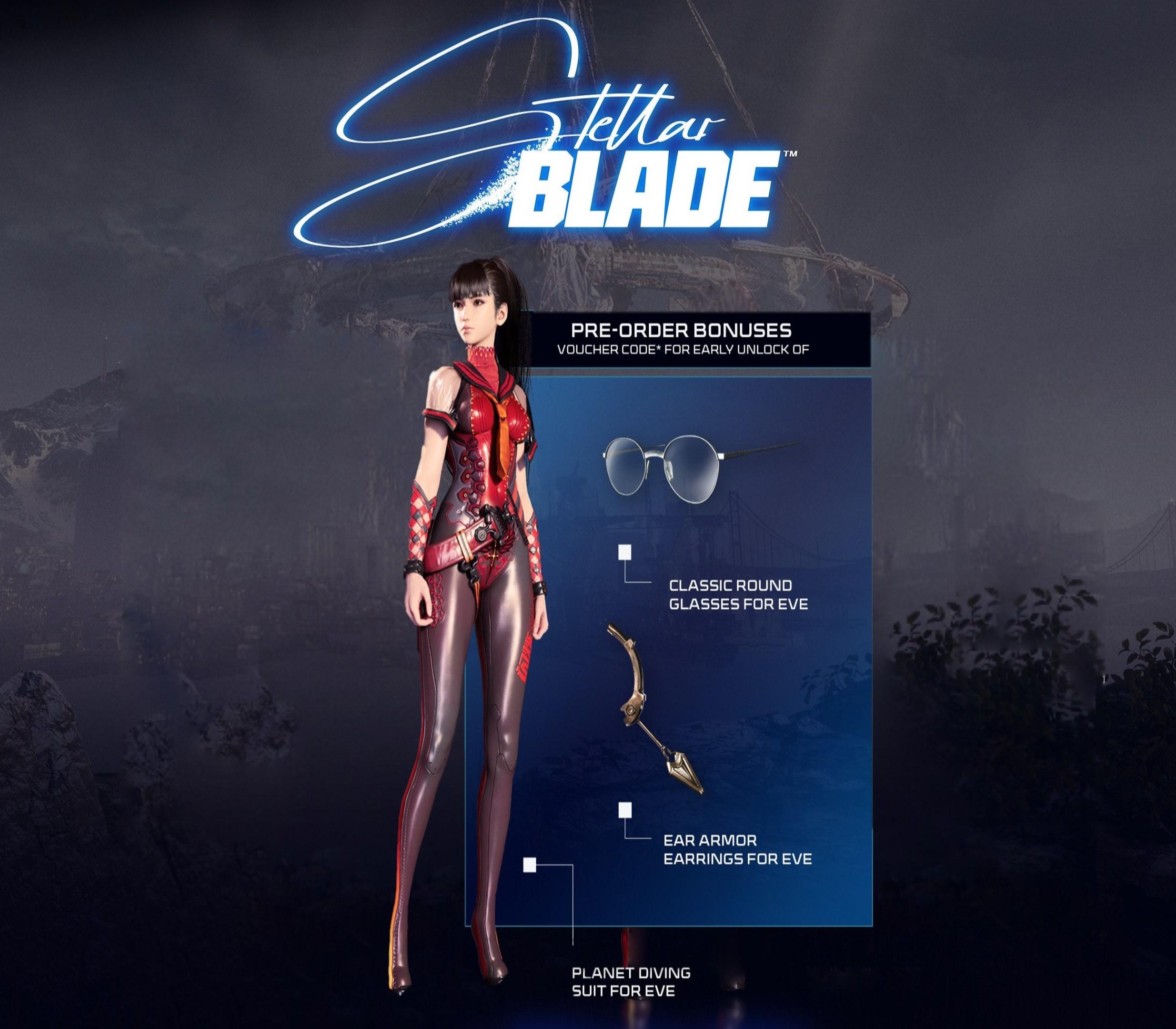
Stellar Blade - Pre-Order Bonus DLC
Stellar Blade - Pre-Order Bonus DLC PS5 CD Key
Price £9.99
In stock
Doesn't work in the US
This product can't be activated in the US or on an account registered there. You can still buy it if you'll activate it in one of the countries below, on an account registered there.
Works in
- Andorra
- Austria
- Åland Islands
- Belgium
What you get
- Game key
- PlayStation 5
- DLC
A key you redeem on PlayStation 5 to add this DLC to your own account.
Does not work in the US
Region: US and 39 other countries
- Your PlayStation account must be registered in one of the countries this key works in.
- This is DLC. You need the base game to use it.
Product details
| Developer | Shift Up |
|---|---|
| Publisher | Sony Interactive Entertainment |
| Release date | 2024-04-26 |
| Genres | RPG, Action, Adventure |
| Platform | PlayStation 5 |
| Age rating | PEGI 18 |
| Languages | English |
| Region | US and 39 other countries |
About this product
Includes: Stellar Blade - Pre-Order Bonus: Stellar Blade - Planet Diving Suit Stellar Blade - Classic Round Glasses Stellar Blade - Ear Armor Earrings Save humanity from extinction in this electrifying story-driven action adventure. The future of humanity is balanced on the edge of a blade. Ravaged by strange, powerful creatures, Earth has been abandoned, and what is left of the decimated human race has fled to a Colony in outer space. After travelling from the Colony, Paratrooper Eve arrives on the desolate remains of our planet with a clear-cut mission: to save humankind by reclaiming Earth from the NA:tive – the malevolent force that has devastated it. But as Eve tackles the NA:tive one-by-one, piecing together the mysteries of the past as she explores the ruins of human civilisation, she realises that her mission is far from straightforward. In fact, almost nothing is as it seems…
In order to redeem Playstation Network Code please follow instruction below: Go to http://www.SonyEntertainmentNetwork.com Click "Manage Account" and sign in with your Sign-In ID(E-mail Address) and Password. Click on "Redeem Prepaid Card". Enter the code printed on the voucher or PlayStation Network Card and click "Continue". If the code is valid, you will be presented with a description of what the code will deliver to your account. Press "Redeem..." button to add the item or funds to your account.