1 / 6
- PC
- DLC
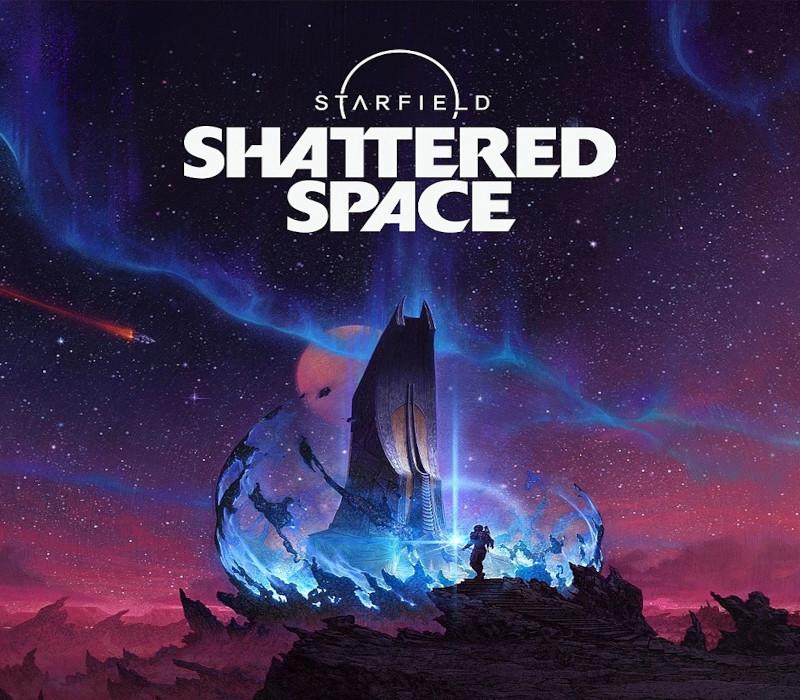
Starfield - Shattered Space DLC
Starfield - Shattered Space DLC Xbox Series X|S / PC CD Key
Price £18.99
In stock
What you get
- Game key
- MS Store (PC)
- DLC
A key you redeem on MS Store (PC) to add this DLC to your own account.
Activates in the US
Region: US and 39 other countries
- Your Microsoft account must be registered in one of the countries this key works in. Accounts in the US are included.
- This is DLC. You need the base game to use it.
Product details
| Developer | Bethesda Game Studios |
|---|---|
| Publisher | Bethesda Softworks |
| Release date | 2024-09-30 |
| Genres | RPG, Open World, Story rich, Action, Adventure |
| Platform | MS Store (PC) |
| Age rating | PEGI 18 |
| Languages | English, French, Italian, German, Spanish, Japanese, Polish, Portuguese - Brazil, Chinese |
| Region | US and 39 other countries |
About this product
Shattered Space is a new story expansion for Starfield, Bethesda Game Studios’ epic role-playing game, and the first new universe in more than twenty-five years. A mysterious power stirs in the city of Dazra on House Va’Ruun’s hidden homeworld. Investigate a frightening cosmic threat, explore a new planet, and find unique weapons, spacesuits, and gear in this all-new adventure. When a distress signal from a derelict starstation sparks a journey to Va’Ruun’kai, the veil of secrecy surrounding the worshippers of a deity known as “The Great Serpent” is finally lifted. Immerse yourself in the dark and complex world of House Va’Ruun, as you navigate a tense political landscape, uncover the history of the Va’Ruun people, and help decide the fate of the faction in the wake of a cataclysmic event.
Windows
Minimum: OS: Windows 10 version 21H1 (10.0.19043) Processor: AMD Ryzen 5 2600X, Intel Core i7-6800K Memory: 16 GB RAM Graphics: AMD Radeon RX 5700, NVIDIA GeForce 1070 Ti DirectX: Version 12 Storage: 125 GB available space Additional Notes: SSD Required
FROM A WEB BROWSER: Go to this website. Log into your Microsoft Account. Enter the key and click Next. Follow the prompts. IN THE MICROSOFT STORE ON WINDOWS: Press the Start button , and then enter store into the search bar. Choose Microsoft Store from the results to open the app. Select your account in the top-right corner of the screen, and then select Redeem code or gift cards. Enter the 25-character code, select Next, and then follow the prompts. ON XBOX ONE AND XBOX SERIES X|S: Press the Xbox button to open the guide, and then select Store. Press the View button to open the side menu, and then select Redeem. Enter the 25-character code, select Next, and then follow the prompts. ON XBOX 360: Press the Guide button on your controller. Select Games & Apps, and then select Redeem Code. Enter the 25-character code, and then follow the prompts to complete your redemption. Please note that Xbox 360 codes can ONLY be activated on the Xbox 360 console directly!