1 / 6
- Steam
Keep Rollin!
Keep Rollin! Steam CD Key
Price £3.99
In stock
What you get
- Game key
- Steam
A key you redeem on Steam to add the game to your own account.
Activates in the US
Region: Worldwide
Product details
| Developer | Bullid Games |
|---|---|
| Publisher | Bullid Games |
| Release date | 2017-11-21 |
| Genres | Casual, Indie |
| Platform | Steam |
| Languages | English, French, Italian, German, Spanish, Portuguese - Brazil, Greek, Chinese, Portuguese, Russian, Turkish, Japanese |
| Region | Worldwide |
| Steam page | View on Steam |
About this product
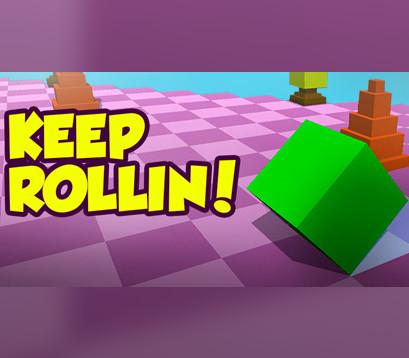
The cube rolls non-stop along the road. It's up to you to control it! Go as far as you can and set a new high-score! This game requires intense concentration, so get ready! Features: Fun arcade game 3D graphics Interesting gameplay Acheivements Multi-platform (Mac, Windows, Linux) Your task is to progress as far as possible, which is not as easy as it sounds! On the way, you will have to dodge various obstacles. Hit an obstacle, and GAME OVER. Beautiful 3D graphics with simple and convenient controls means competitive fun for the whole family!
Windows
Minimum: OS: Windows XP Processor: Core2Duo Memory: 512 MB RAM Graphics: Intel HD2000 Storage: 100 MB available space Sound Card: any
Linux
Minimum: OS: Ubuntu 12.04/SteamOS Processor: Dual Core Memory: 512 MB RAM Graphics: OpenGL 2.1+, GLSL 1.2+, 256 MB VRAM Storage: 100 MB available space Additional Notes: Windowed mode recommended due to possible base input issues. Recommended: OS: Ubuntu 12.04/SteamOS Processor: Quad Core Memory: 2048 MB RAM Graphics: OpenGL 2.1+, GLSL 1.2+, 256 MB VRAM Storage: 200 MB available space Additional Notes: Windowed mode recommended due to possible base input issues.
Mac
Minimum: OS: Mac OS X 10.9+ Processor: DualCore Memory: 512 MB RAM Graphics: Intel GMA 950 Storage: 100 MB available space Recommended: OS: Mac OS X 10.9+ Processor: DualCore Memory: 2048 MB RAM Graphics: Intel GMA 950 or better Storage: 200 MB available space
Go to: http://store.steampowered.com/ and download STEAM client Click "Install Steam" (from the upper right corner) Install and start application, login with your Account name and Password (create one if you don't have). Please follow these instructions to activate a new retail purchase on Steam: Launch Steam and log into your Steam account. Click the Games Menu. Choose Activate a Product on Steam... Follow the onscreen instructions to complete the process. After successful code verification go to the "LIBRARY" tab and start downloading.