1 / 12
- Steam
John Mambo
John Mambo PC Steam CD Key
Price £1.99
In stock
What you get
- Game key
- Steam
A key you redeem on Steam to add the game to your own account.
Activates in the US
Region: Worldwide
Product details
| Developer | Iction Games |
|---|---|
| Publisher | Iction Games |
| Release date | 2023-12-15 |
| Genres | Action, Adventure, Indie |
| Platform | Steam |
| Languages | English, Spanish |
| Region | Worldwide |
| Steam page | View on Steam |
About this product
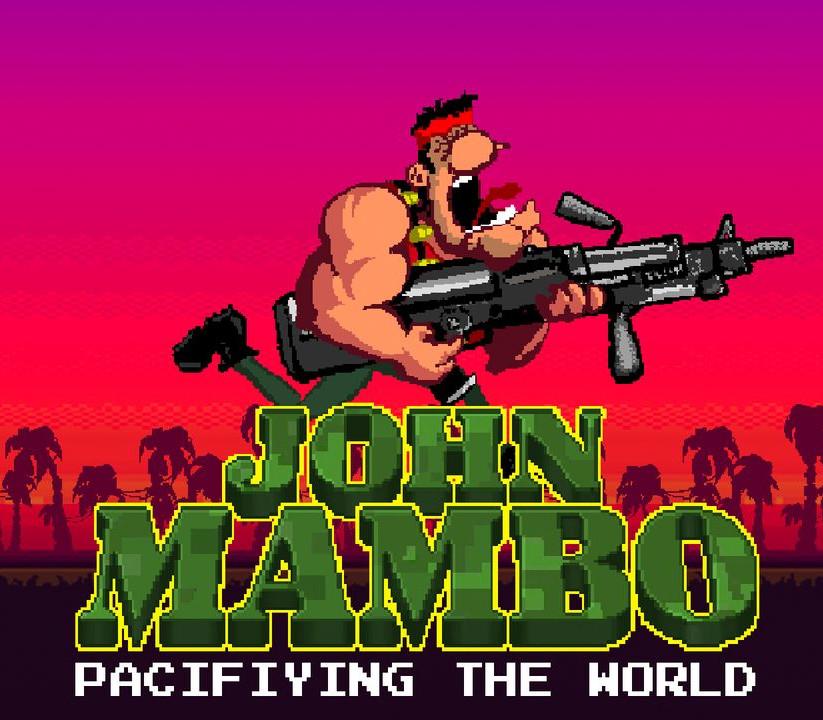
John Mambo is a frenetic Retro Arcade Game with an isometric top down view.A Game with a detailed 2D hand drawn Pixel Art style for Windows.Met John Mambo, a one man army, crazy enough to embark on a dangerous mission in the heart of a jungle. Explore various landscapes, infiltrate enemy bases, cross cities occupied by the enemy and more! Nobody in the allied army trusts John, but John Mambo doesn’t care. He knows his mission and he will put all his effort to neutralize the enemy. The Colonel will send him on various missions, both funny and dangerous. The outcome of those missions depends on you – the player!John Mambo is an action video game based on the era of the arcade machines and 16-bit consoles of the 90's, but taking advantage of modern control mechanics and graphics engines . The game is inspired by retro classics like Ikari Warriors, Commando, Mercs and Cannon Fodder. Features 6 Levels Main Features: Arcade / Strategy / Surreal Humor.
Windows
Minimum: OS *: Windows Vista or Later Processor: Intel Core™ Duo or faster Memory: 4 GB RAM Graphics: ATI or Nvidia with at least 256MB, or Intel GMA 950 or newer DirectX: Version 9.0 Storage: 2 GB available space
Linux
Minimum: OS: Ubuntu 12.04 LTS, fully updated Processor: Intel Core™ Duo or faster Memory: 4 GB RAM Graphics: Nvidia, ATI, or Intel GPU with hardware-accelerated drivers Storage: 4 GB available space
Mac
Minimum: OS: OS 10.6+ Processor: 2.8 GHz Intel Core 2 Duo or better Memory: 4 GB RAM Graphics: ATI or NVIDIA with at least 256MB or higher Storage: 2 GB available space
Go to: http://store.steampowered.com/ and download STEAM client Click "Install Steam" (from the upper right corner) Install and start application, login with your Account name and Password (create one if you don't have). Please follow these instructions to activate a new retail purchase on Steam: Launch Steam and log into your Steam account. Click the Games Menu. Choose Activate a Product on Steam... Follow the onscreen instructions to complete the process. After successful code verification go to the "LIBRARY" tab and start downloading.