1 / 8
- Steam
- DLC
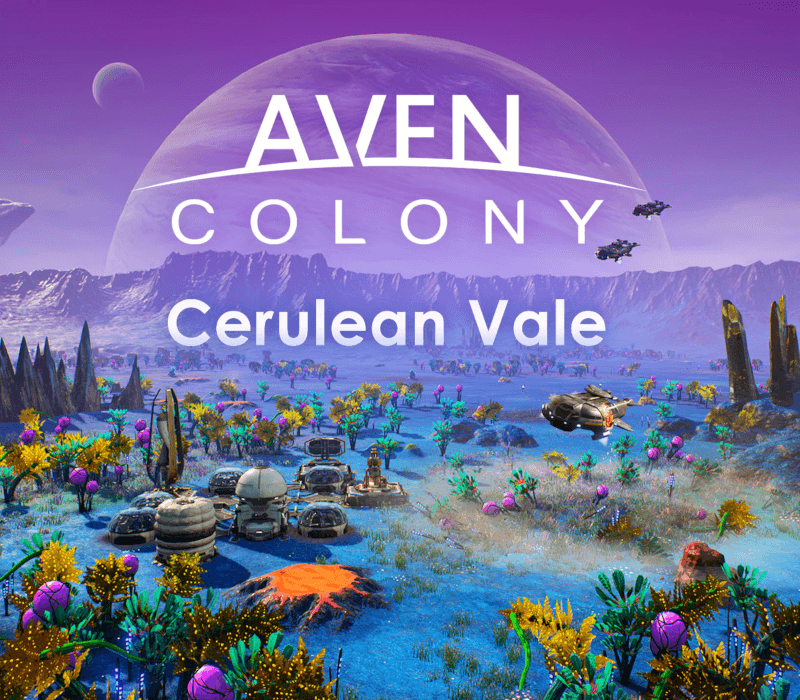
Aven Colony - Cerulean Vale DLC
Aven Colony - Cerulean Vale DLC PC Steam CD Key
Price £1.99
In stock
What you get
- Game key
- Steam
- DLC
A key you redeem on Steam to add this DLC to your own account.
Activates in the US
Region: US and 234 other countries
- Your Steam account must be registered in one of the countries this key works in. Accounts in the US are included.
- This is DLC. You need the base game to use it.
Product details
| Developer | Mothership Entertainment LLC |
|---|---|
| Publisher | Team17 Digital Ltd |
| Release date | 2017-08-22 |
| Genres | Strategy, Simulation, Indie |
| Platform | Steam |
| Age rating | PEGI 12 |
| Languages | German, English, French, Spanish, Danish, Dutch, Polish, Portuguese, Russian, Swedish, Chinese, Finnish, Norwegian, Turkish, Italian, Portuguese - Brazil, Arabic |
| Region | US and 234 other countries |
| Steam page | View on Steam |
About this product
Welcome to the treacherous badlands of Cerulean Vale This additional sandbox map features the harshest environment yet, and the greatest rewards. Push yourself to the limit of extrasolar survival! Features EXPLORE A STUNNING NEW BIOME: Discover the remenants of an ancient seabed, tinted blue by crushed micro-crystals of azurite. SURVIVE THE BADLANDS: Native Earth crops simply refuse to grow in this former ocean floor. Prepare to cultivate local plantlife to survive this hostile region. WEATHER THE STORM: Get ready for a region that features some of the most challenging weather conditions on the planet! POWER UP YOUR COLONY: Produce remarkable levels of electricty by taking advantage of Aven Prime's most generous deposits of Zorium.
Windows
Requires a 64-bit processor and operating system OS: Windows 7 Processor: Intel Core i3-3220 3.3 GHz Memory: 4 GB RAM Graphics: GeForce GTX 470 or AMD Radeon HD 7850 DirectX: Version 11 Storage: 25 GB available space Sound Card: DirectX 11 Supported Additional Notes: Mouse and keyboard only. Min screen resolution 1280 x 720
Go to: http://store.steampowered.com/ and download STEAM client Click "Install Steam" (from the upper right corner) Install and start application, login with your Account name and Password (create one if you don't have). Please follow these instructions to activate a new retail purchase on Steam: Launch Steam and log into your Steam account. Click the Games Menu. Choose Activate a Product on Steam... Follow the onscreen instructions to complete the process. After successful code verification go to the "MY GAMES" tab and start downloading.