- Steam
3D PUZZLE - OutPost
3D PUZZLE - OutPost PC Steam CD Key
Price £0.99
In stock
What you get
- Game key
- Steam
A key you redeem on Steam to add the game to your own account.
Activates in the US
Region: Worldwide
Product details
| Developer | PUZZLE Games |
|---|---|
| Publisher | PUZZLE Games |
| Release date | 2024-06-26 |
| Genres | Action, Adventure, Casual, Indie, Racing, RPG, Simulation, Strategy |
| Platform | Steam |
| Languages | English, French, Italian, German, Spanish, Arabic, Bulgarian, Czech, Danish, Dutch, Finnish, Greek, Hungarian, Japanese, Korean, Norwegian, Polish, Portuguese - Brazil, Romanian, Russian, Chinese, Swedish, Thai, Turkish, Ukrainian |
| Region | Worldwide |
| Steam page | View on Steam |
About this product
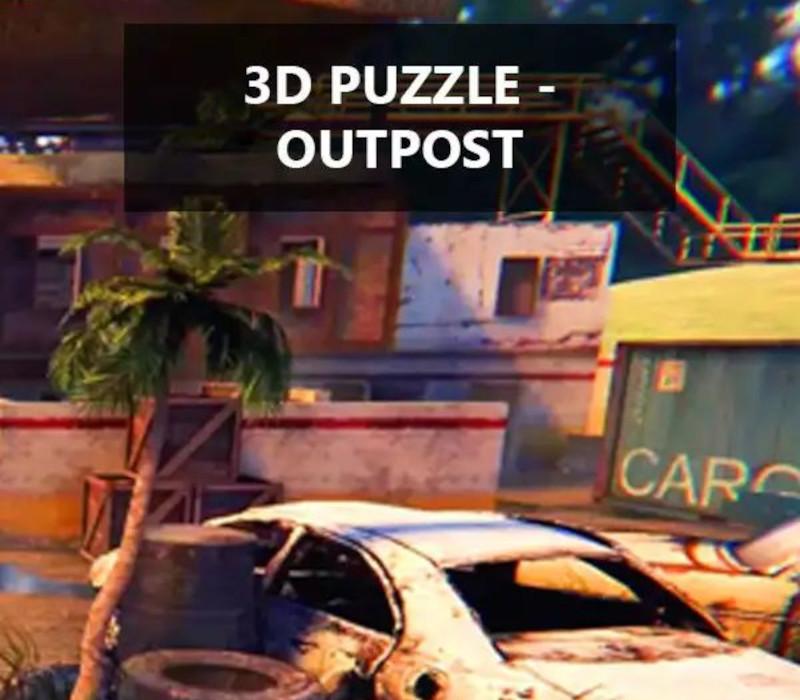
Collect a 3D puzzle, transferring things to the right places to create a beautiful place.The game is a 3D puzzle, the player needs to put in place the missing pieces of the puzzle (items) scattered around the location. To create an entire location.You need to go to the item, take it by pressing the left mouse button and take the item to the desired location marked in green. If you brought the correct item, it will snap into place and you will receive leaderboard points and achievements for this.Collect as much items as possible as quickly as possible to get more points for the leaderboard. If you brought the wrong item, you can throw it away, it will return to the starting location so that you can pick it up again.
Windows
Minimum: OS *: Windows 7/8/10 Processor: 3GHz Duo Core Processor Memory: 4 GB RAM Graphics: NVIDIA GeForce 450 or higher with 1GB Memory Storage: 4 GB available space Sound Card: NVIDIA GeForce 450 or higher with 1GB Memory
Linux
Minimum: OS: Ubuntu 64-bit 16.04+ Processor: Intel Core 2 Duo / AMD Phenom II Memory: 4 GB RAM Graphics: NVIDIA GeForce 450 or higher with 1GB Storage: 4 GB available space
Mac
Minimum: OS: Mac OS X 10.12+ Processor: Intel Core i5 Memory: 4 GB RAM Graphics: NVIDIA GeForce 450 or higher with 1GB Storage: 4 GB available space
Go to: http://store.steampowered.com/ and download STEAM client Click "Install Steam" (from the upper right corner) Install and start application, login with your Account name and Password (create one if you don't have). Please follow these instructions to activate a new retail purchase on Steam: Launch Steam and log into your Steam account. Click the Games Menu. Choose Activate a Product on Steam... Follow the onscreen instructions to complete the process. After successful code verification go to the "LIBRARY" tab and start downloading.